How to use the golf simulator
Golfroom is at H. Manto 22, in the Herkaus Galerija shopping centre, on the 2nd floor.
-
1
On the left screen, start the ProTee Labs program.
-
2
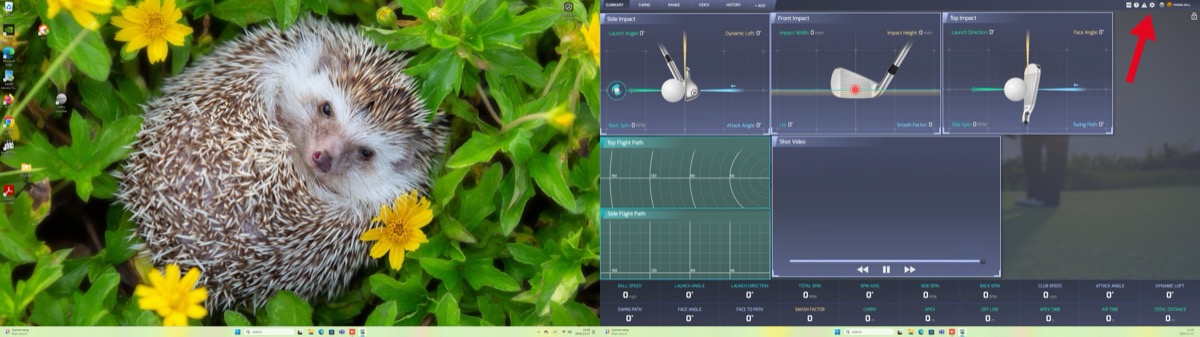
Press the settings "gear" button.
-
3
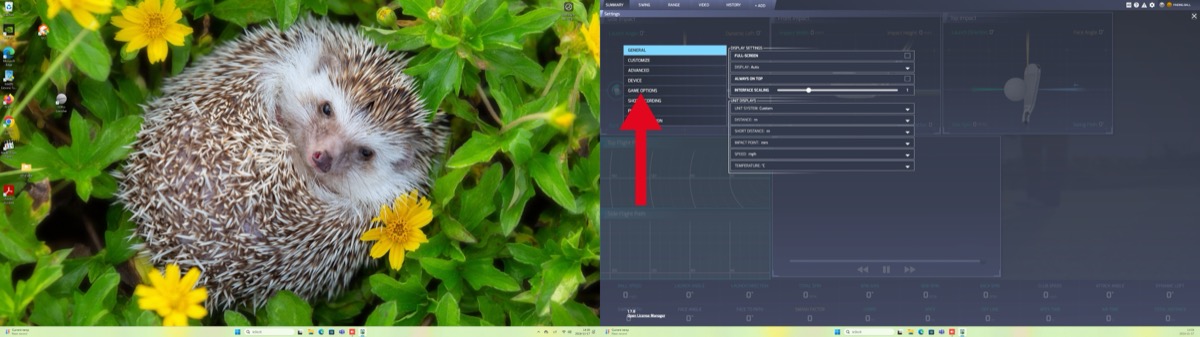
Press game options.
-
4
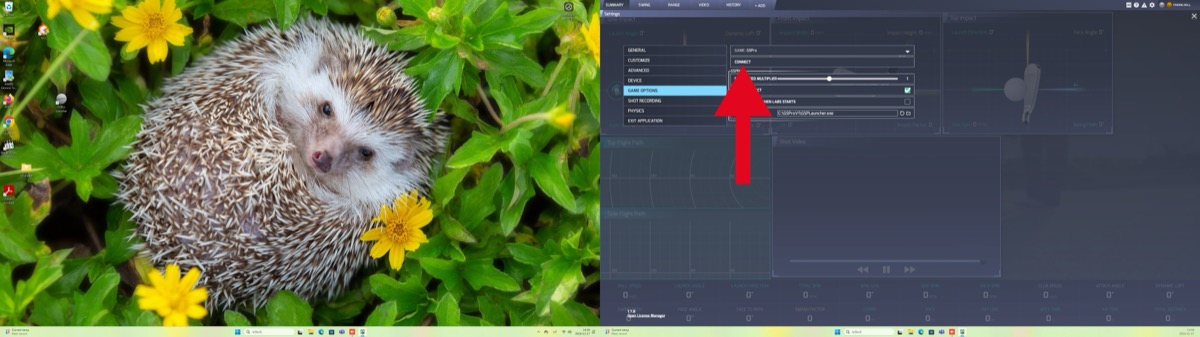
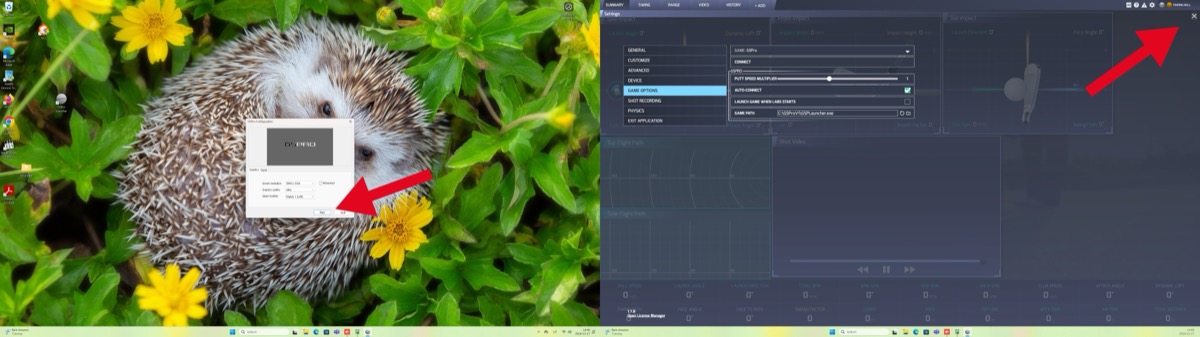
Press connect. The GSPro program will start on the right screen.
-
5
Press Play. On the left screen you can close the settings window with the small X on the right.
-
6
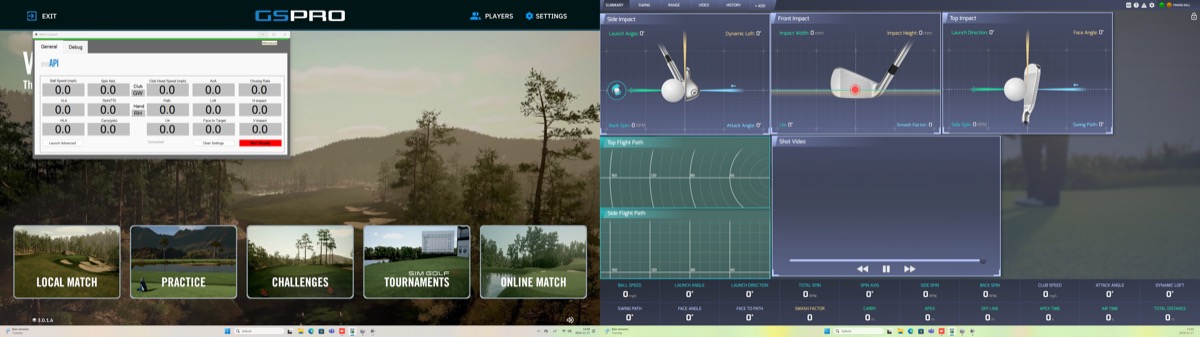
Do not close the white table with numbers, move it down. To train, choose PRACTICE; to play, choose LOCAL MATCH.
-
7
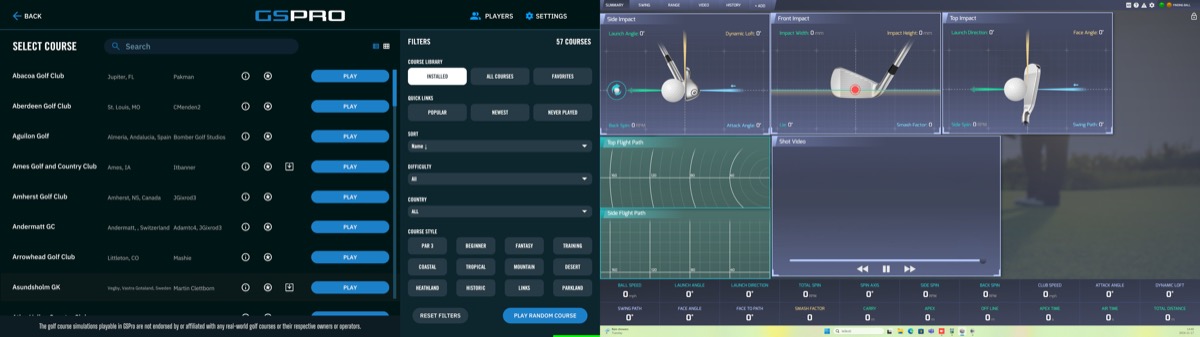
Choose a course and press PLAY.
-
8
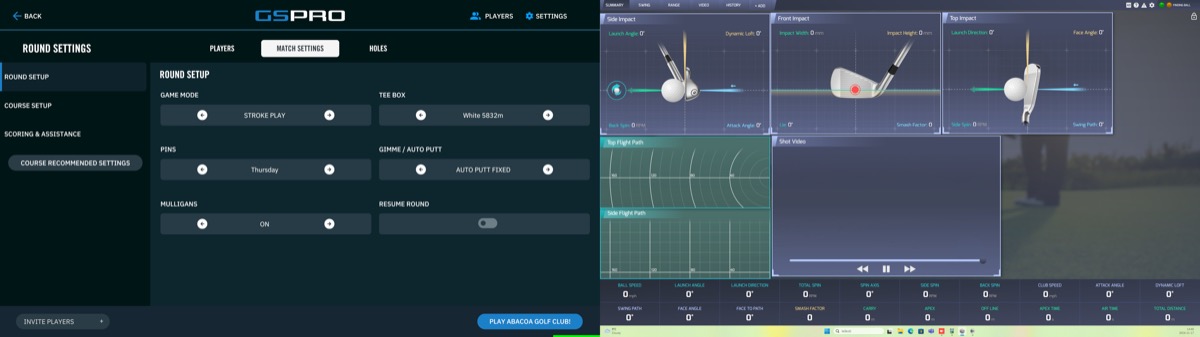
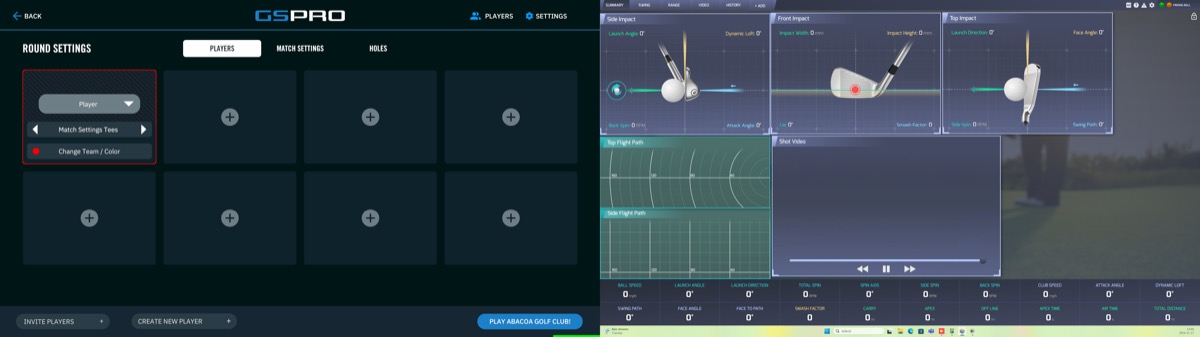
Choose the players; you can create a new player with CREATE A NEW PLAYER. Game settings are under MATCH SETTINGS at the top.
-
9
Game mode - the game format. Tee box - which tees to play from. Pins - the flag positions. Gimme/Autoputt - the distance within which a putt counts, 4 is recommended. Press PLAY.
-
10
When you finish, close both programs and turn off the projector with the remote.